Stay with your patients between sessions, not just during them
A visit summary after each session, homework on their phone, goals they check in on, mood check-ins and messages with the clinic, so patients feel supported all week and you know when something changes.
Most of a patient’s week happens outside the room
- Patients forget half of what was agreed by the time they reach home.
- Homework is a WhatsApp photo of a worksheet that never comes back.
- You only find out things got worse when they miss the next session.
- Patients message your personal number at all hours, or don’t reach out at all.
They leave with something to hold on to
Once you sign the note, the patient gets a plain-language visit summary on their phone: what you talked about, what to work on before next time, the goals you are working on and their next visit. Nothing reaches them before you sign, and your private notes never do.
In short
- Therapy visits print as a visit summary, not a prescription
- Diagnosis left off unless you choose to include it
- Crisis numbers on every summary
Homework they actually do
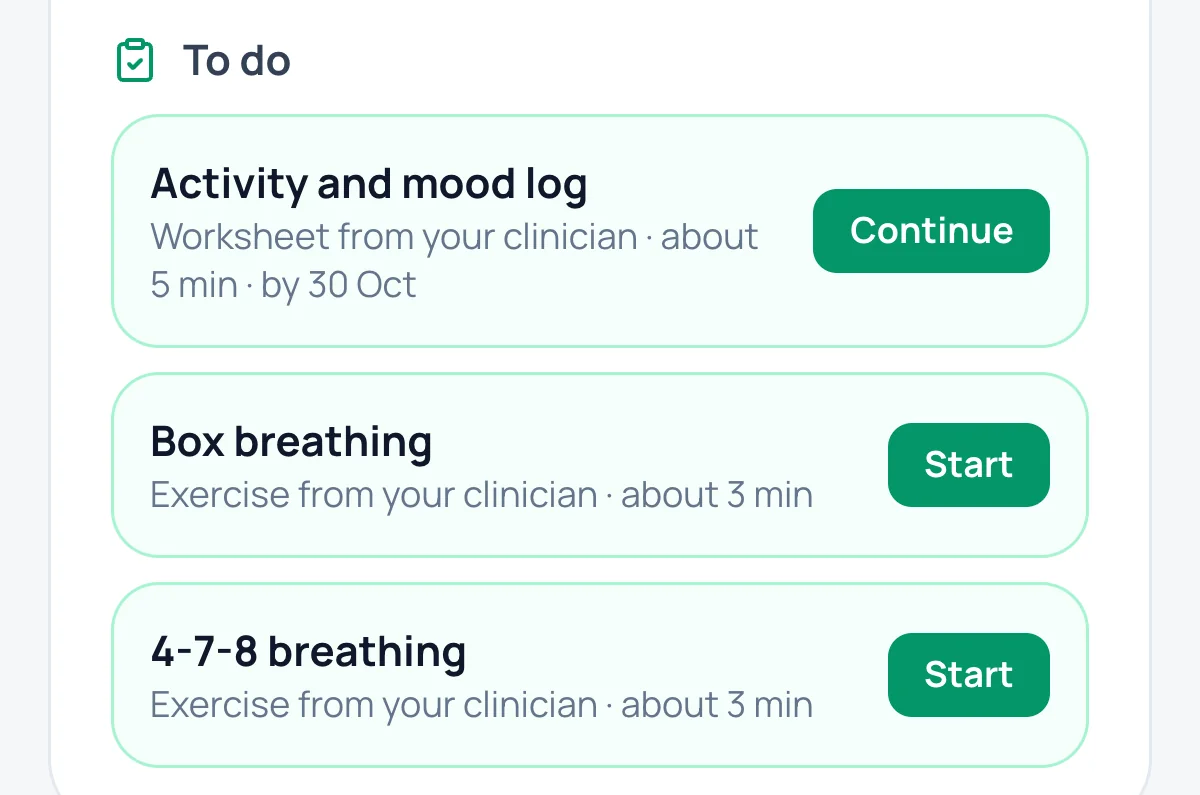
Assign a worksheet, log or guided exercise in two taps. It lands on the patient’s phone with an alert; they can save a draft, and their answers come straight back into the file.
- 17 ready worksheets and exercises: thought records, sleep diary, breathing with a timer and more
- “To review today” shows open and finished homework at the next session
- Worrying wording in answers alerts the care team
Goals they check in on
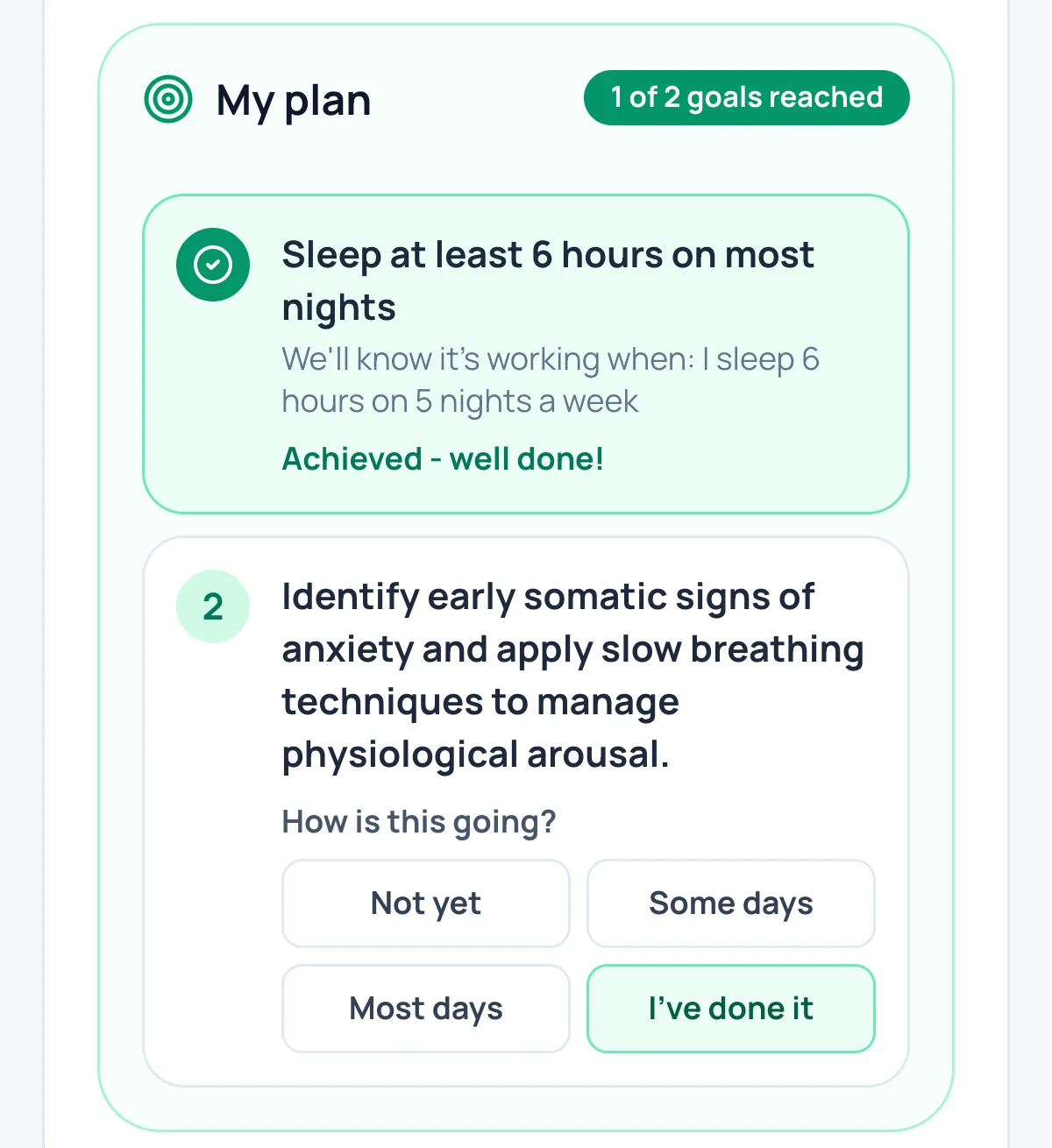
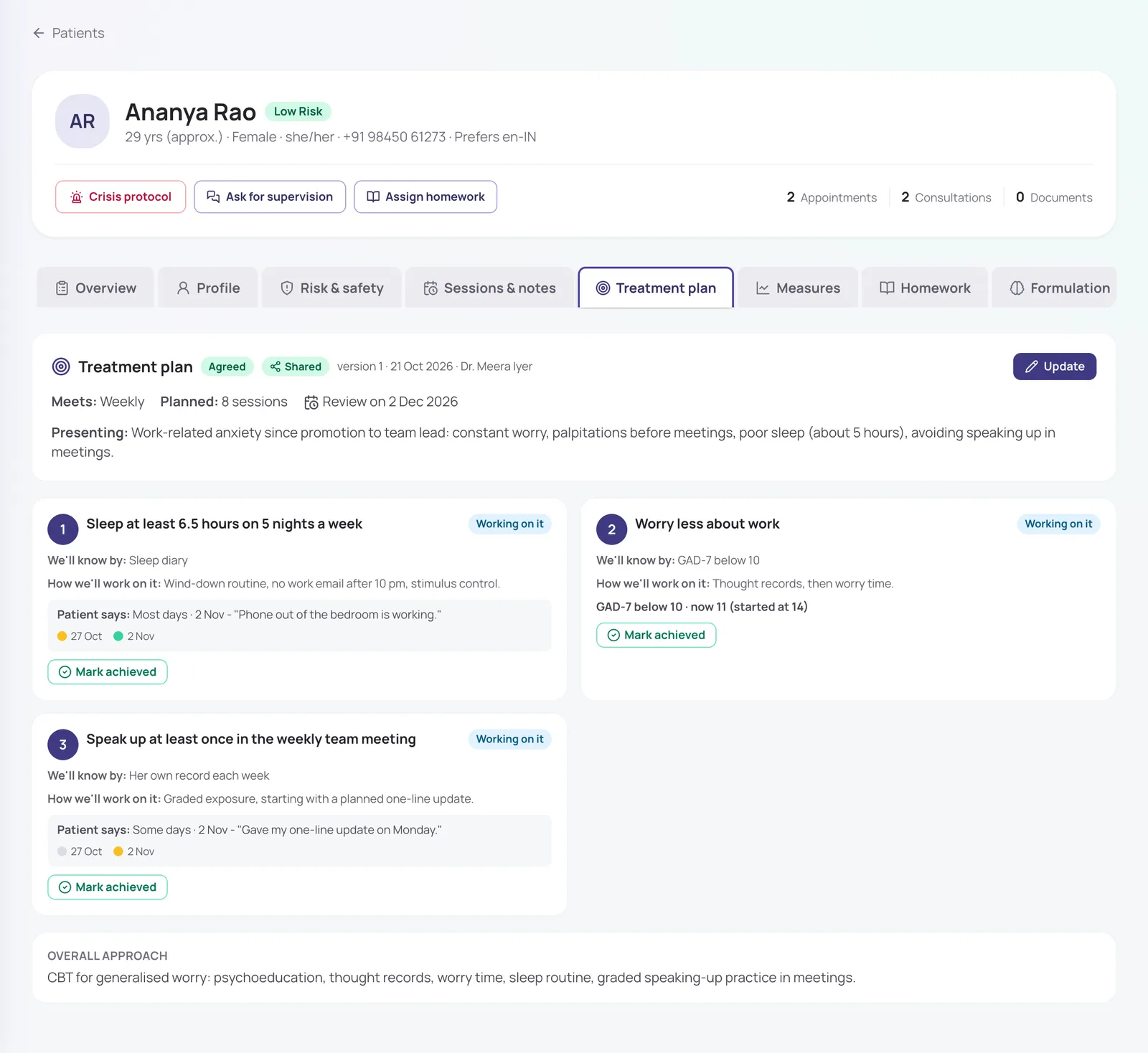
Share the treatment plan, and the patient checks in on each goal from their phone: not yet, some days, most days, or done. You see “Patient says…” next to every goal, and they get a "well done" when one is reached.
- Check-ins once a week or fortnight, not a daily chore
- A reminder when a check-in is due
- Private notes on how you will work on a goal stay private
Know how they are doing before they walk in
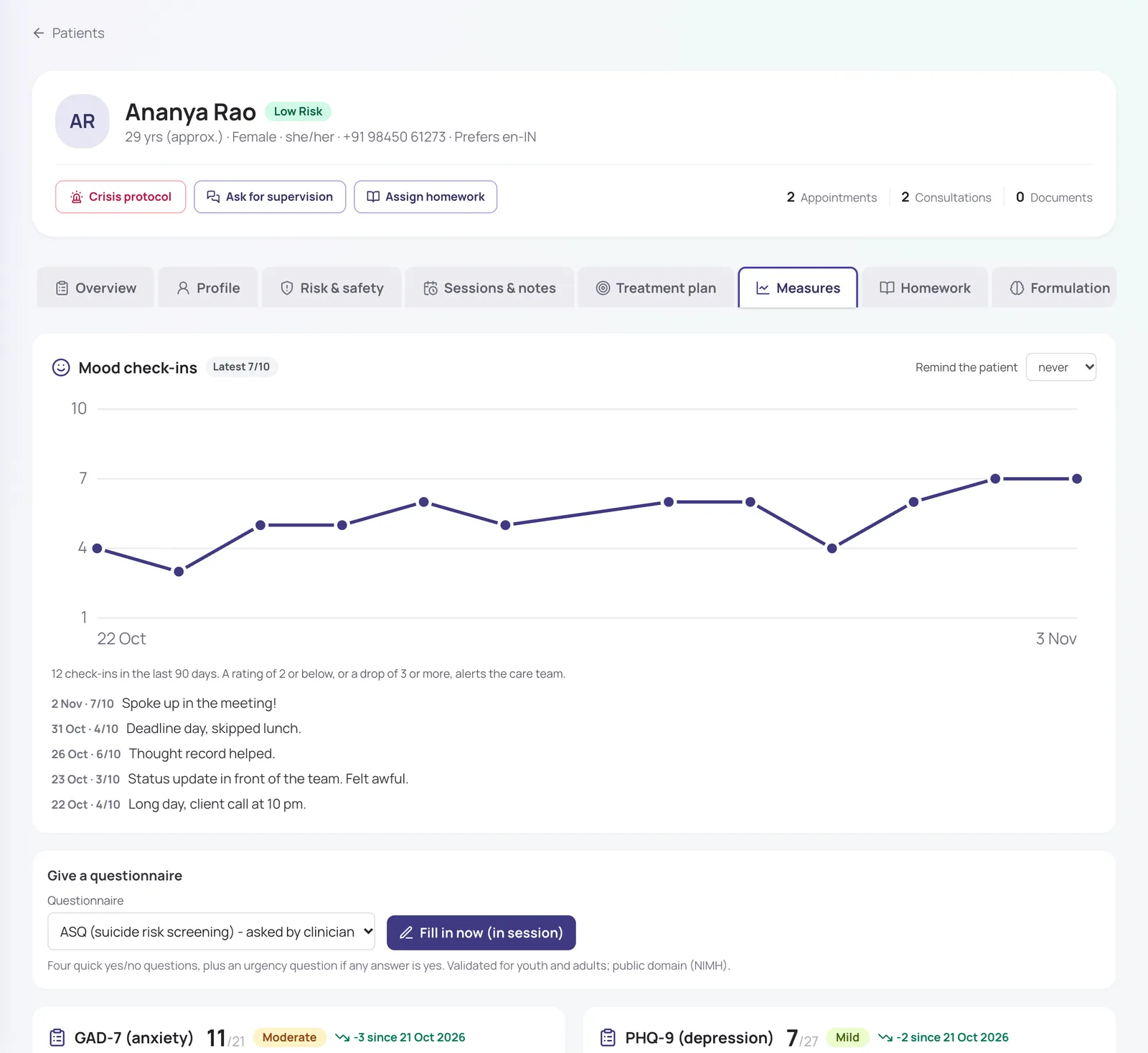
Patients rate their mood on their phone and fill in questionnaires you send before the next session. A sharp drop in mood or a worrying answer alerts the care team straight away, not at the next appointment.
- Daily or weekly mood check-in reminders, set per patient
- PHQ-9, GAD-7 and more, in Hindi and Marathi too
- Everything since the last session on one screen
Help when they need it
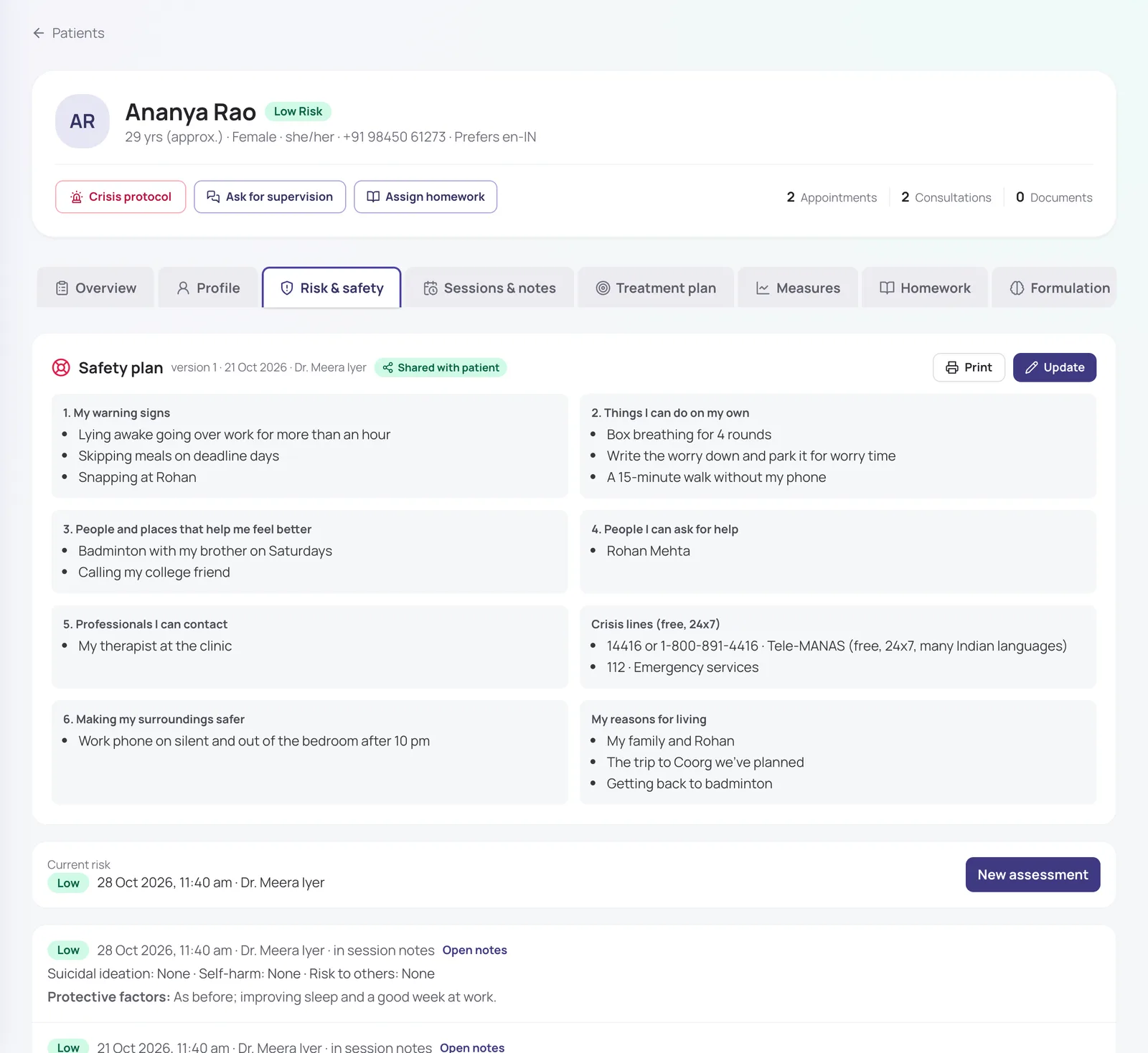
A safety plan built together lives on their phone and opens even without internet. A Get help button shows crisis numbers and can alert the care team, and the patient sees when someone has picked it up.
- Tele-MANAS and 112 always one tap away
- Alerts escalate to clinic admins if nobody responds
- Messages go through the clinic, encrypted, not your personal number
Also included
Private messages
Patients message the clinic from their appointment. Stored encrypted, never on a personal phone.
Follow-ups
Plan follow-up messages to go out after a session.
Reminders
Visit, payment and check-in reminders, and an alert for new homework, by SMS or WhatsApp.
No app to install
Patients use it in their phone’s browser.
How it works
- 1
Finish the session and sign your note.
- 2
The patient gets their summary, homework and goals on their phone.
- 3
They check in, do homework and message during the week.
- 4
You open the next session with everything that changed in front of you.
Frequently asked questions
Do patients need to install an app?
No. Patients sign in with a code sent to their mobile and use it in their phone’s browser.
Can patients see my session notes?
No. Patients see only what you choose to share: the visit summary, homework, the treatment plan goals and their safety plan. Nothing from a therapy session reaches them until you sign the note.
Are messages between patients and clinicians private?
Yes. Messages travel over an encrypted connection, and their text is stored encrypted with a key unique to each clinic, along with check-in notes and homework answers. Reception staff can’t read them, and they stay inside MindConnect rather than on anyone’s personal WhatsApp.
Will patients message me at all hours?
Messages come into MindConnect rather than your personal WhatsApp, and you reply when you choose. For anything urgent, patients have the Get help button and crisis numbers.
What happens if a patient writes something worrying?
Worrying wording in a mood check-in note or homework answer, or a concerning questionnaire answer, alerts the care team straight away so someone can reach out.
Is every feature switched on from day one?
The essentials are on as soon as you sign up. Clinical and advanced features (questionnaires, safety plans, AI notes, supervision and so on) are switched on for your practice when you want them. Tell us what you need and we will turn it on.
How much does it cost?
Pricing depends on how many clinicians you have, the billing cycle you choose (monthly, quarterly, half-yearly or yearly) and whether you want AI features as a monthly add-on or pay per AI session. Start with a free trial, or send us a message and we will share a quote.
Try it with your own practice
Start a free trial, or tell us about your practice and we will share pricing and switch on the features you need.