Practice software built for therapy, not just appointments
Notes in your format, treatment plans your clients can see, questionnaires that track progress, homework between sessions and a proper safety workflow, alongside bookings and payments.
Most clinic software stops at the calendar
- Session notes live in a Word file, a notebook or a generic form that does not fit therapy.
- Progress is a feeling, not a number you can show the client or a supervisor.
- Homework is a WhatsApp message nobody follows up on.
- When a client is at risk, there is no plan on record and no one else knows.
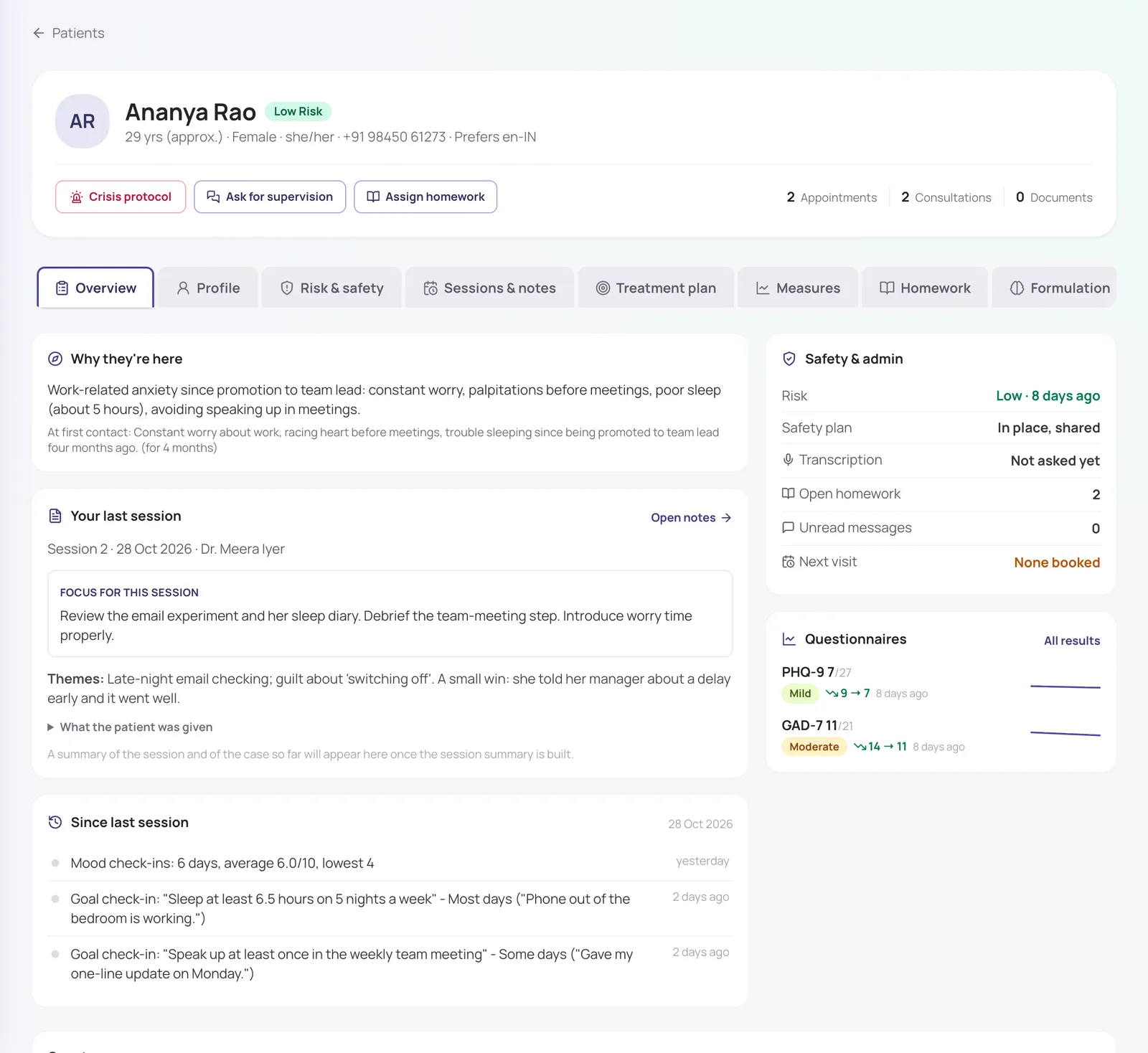
Read the case in a minute before each session
The client record opens on what matters: why they came, what you planned for this session, and everything that happened since the last one: check-ins, questionnaire scores, homework, messages and missed visits.
In short
- Care team access: only the clinicians treating a client can read their notes
- Pronouns, languages and your own custom fields on the profile
- Every change kept in a profile history
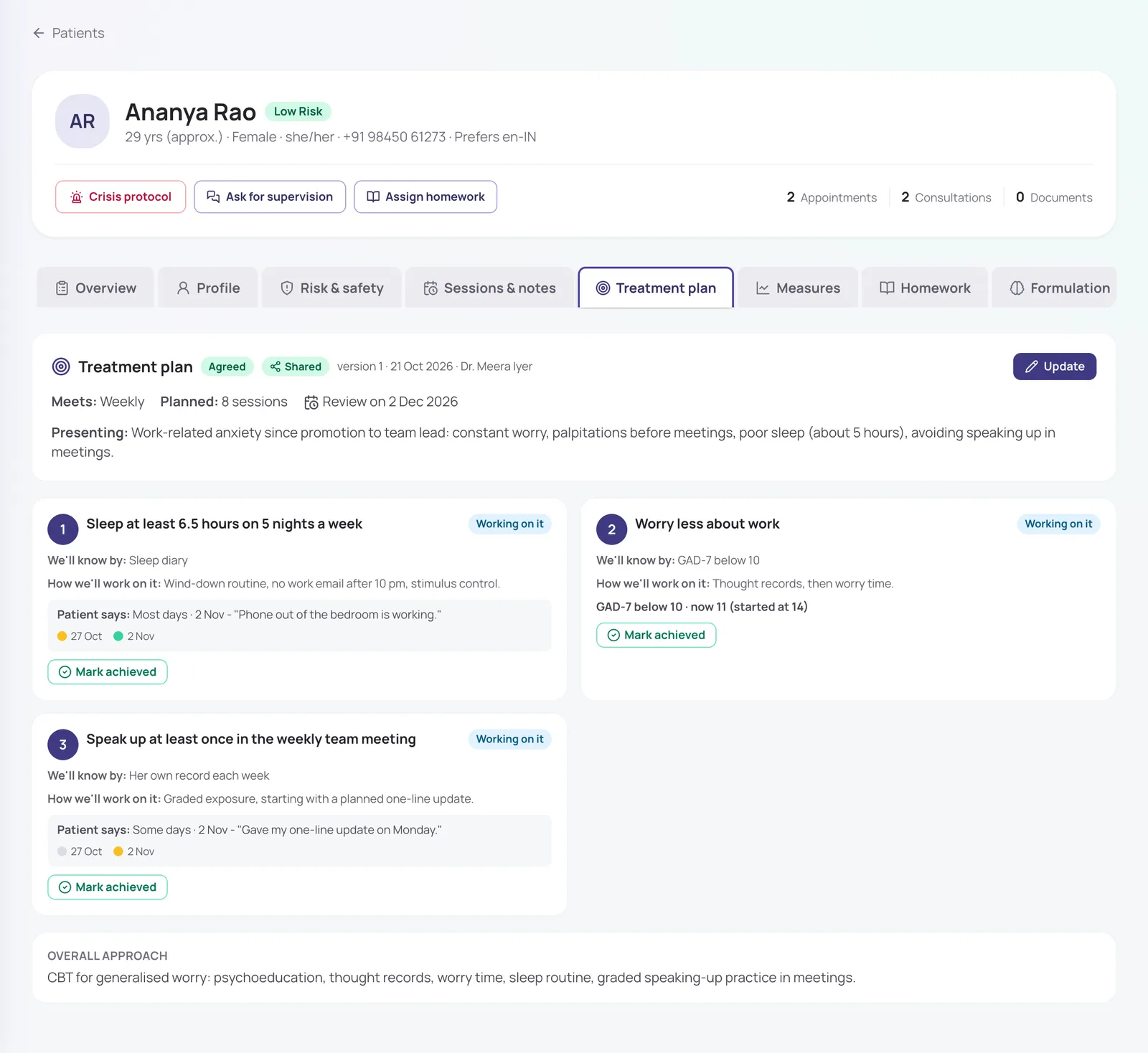
Treatment plans your client agrees to
Write goals with how you will both know they are met, link them to a questionnaire target, and share the plan with the client. They check in on each goal from their phone, and you see "Patient says…" next to it.
- Versioned: every update is kept
- Review dates show up on your Today list
- Private "how we will work on it" notes the client never sees
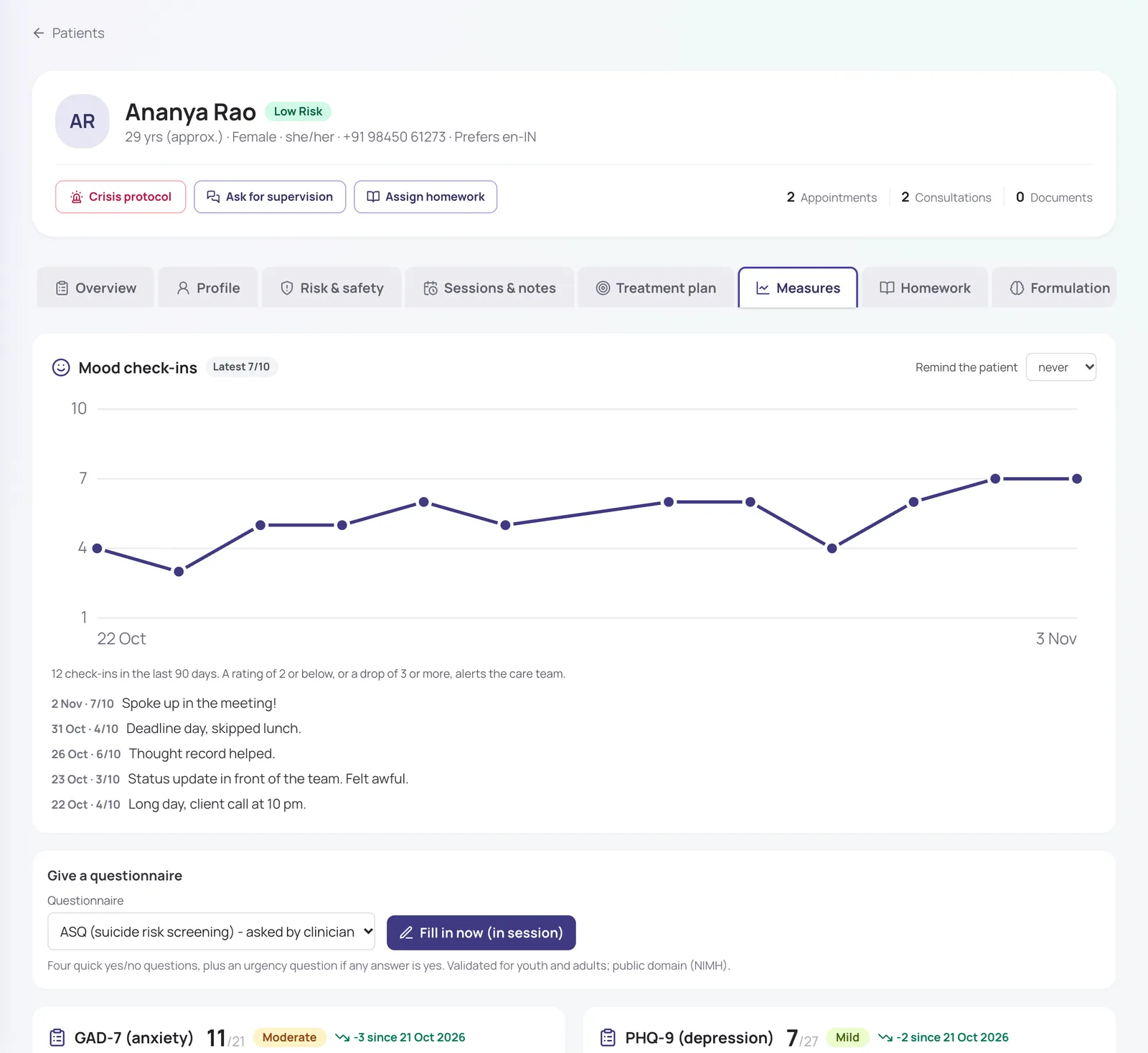
Outcome measures that track progress for you
Send PHQ-9, GAD-7, WHO-5, K10, PCL-5, DASS-21, AUDIT, EPDS or the ASRS screener to the client app, or fill one in during the session. Scores are charted over time, with daily mood check-ins alongside.
- Official Hindi and Marathi versions of PHQ-9 and GAD-7
- A worrying answer alerts the care team straight away
- Clients see a gentle thank-you, not a severity label, unless you choose otherwise
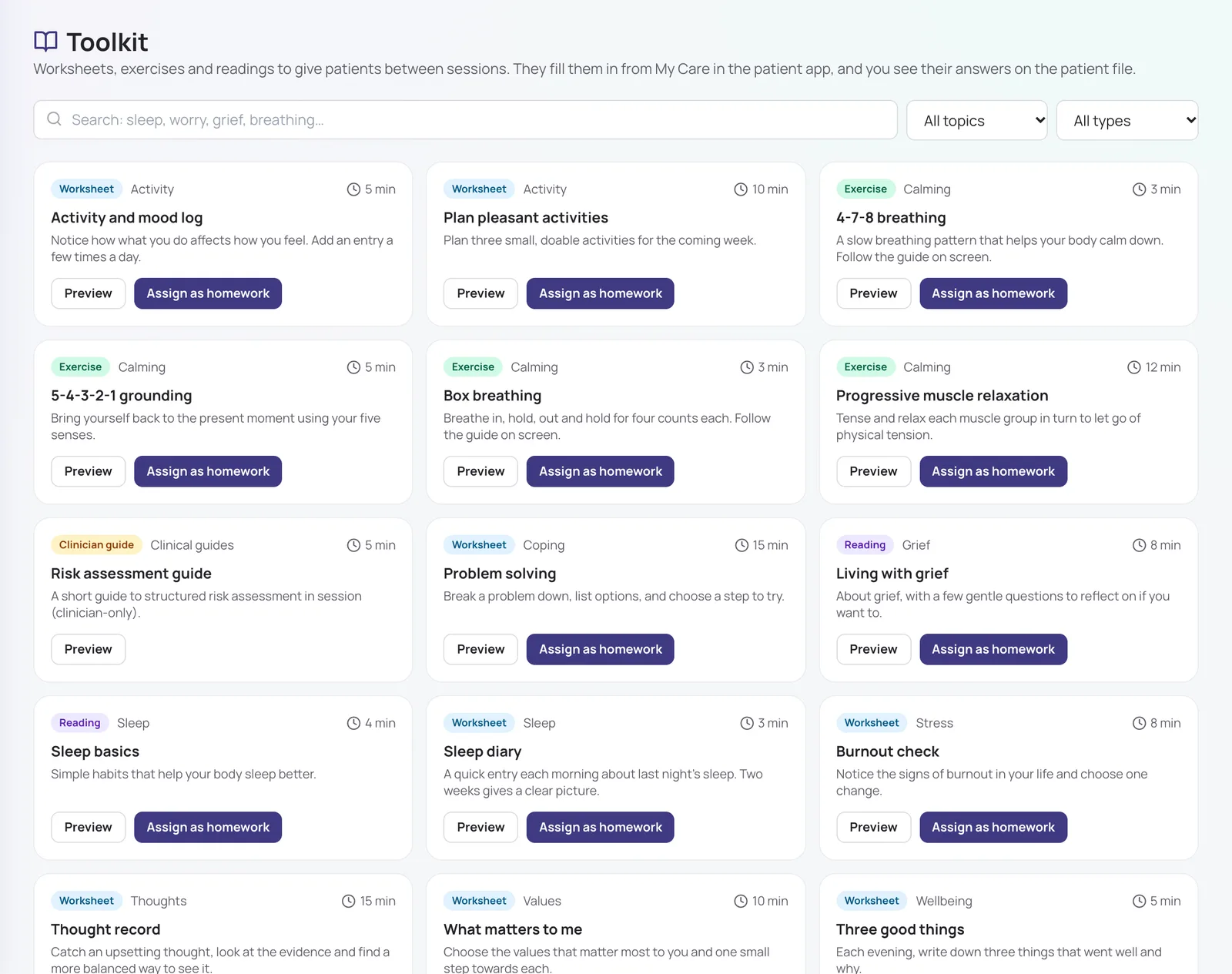
Homework clients actually do
Assign from a toolkit of 17 worksheets, exercises and readings: thought records, activity and mood logs, sleep diary, worry time, problem solving, guided breathing with a timer and more. Clients fill them in on their phone; you see the answers in the file.
- Suggested tools based on your session notes
- Clients get a reminder and can save a draft
- Answers flagged to the care team if they contain worrying wording
Risk, safety plans and a crisis protocol
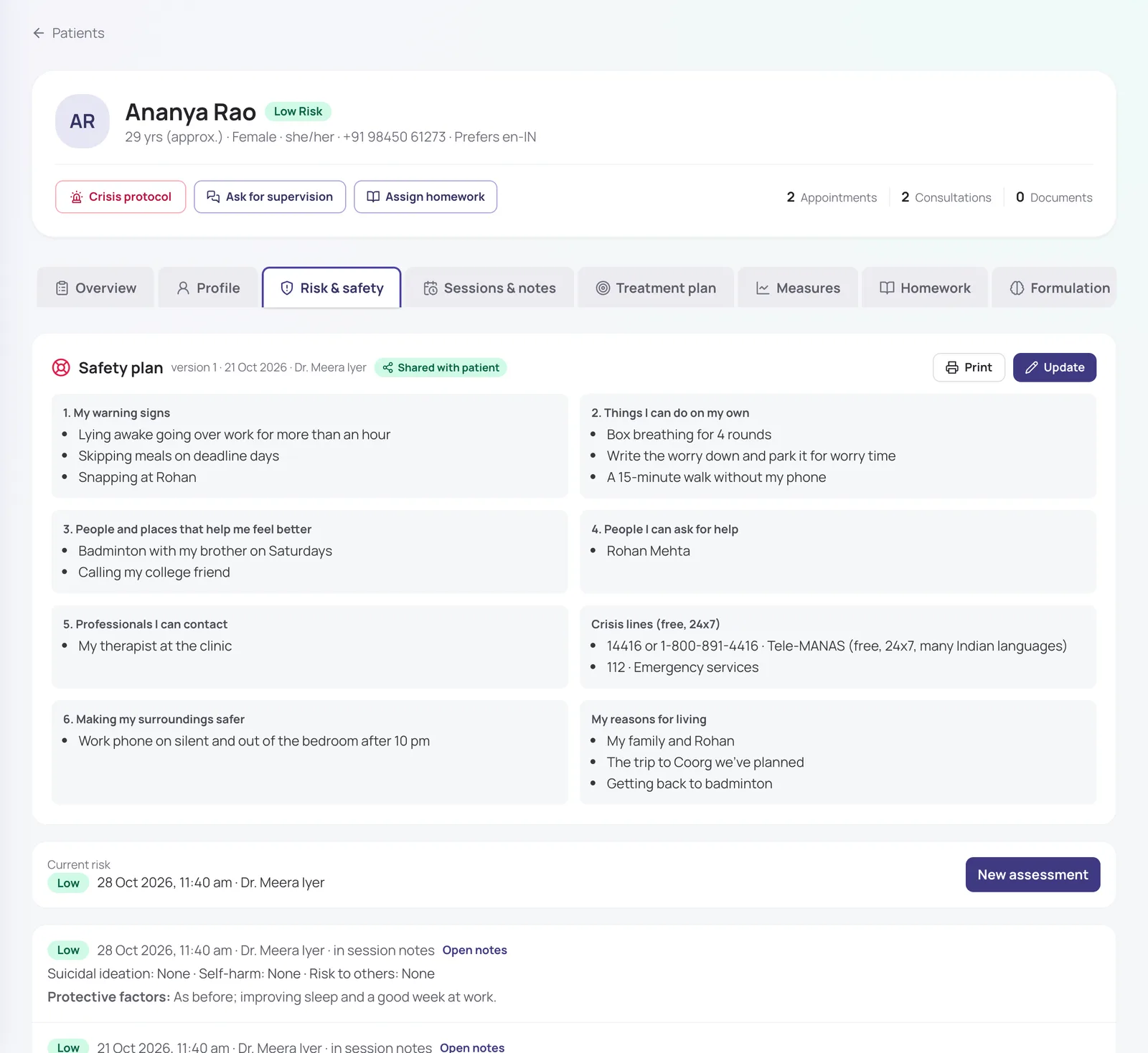
Record structured risk assessments, build a Stanley-Brown style safety plan with the client, and share it to their phone so it opens even offline. In a crisis, one button alerts the care team and supervisors, with Tele-MANAS and 112 always on screen.
- Risk register of clients at moderate or high risk
- Alerts escalate to clinic admins if nobody responds
- Clients can tap "Get help" in their app to reach the clinic
Also included
Notes your way
SOAP, DAP, BIRP or your own template; sign notes and add addenda once signed.
Case formulation
5 Ps or CBT formulation, drafted from your notes if you want.
Supervision
Ask a supervisor about a case, meet on video and keep the feedback.
Visit summaries
Clients get a plain summary of the session, not a prescription-style printout.
How it works
- 1
Sign up and set your weekly hours.
- 2
Share your booking link with clients.
- 3
Write notes, plans and homework after each session.
- 4
Clients follow along in their own app between sessions.
Frequently asked questions
Can my clinic admin or receptionist read my session notes?
No. Notes are visible only to the clinicians on the client’s care team and their supervisors. A clinic can choose to let admins read clinical notes, but it is off by default, and receptionists can never read them.
Which questionnaires are included?
PHQ-9, GAD-7, WHO-5, K10, PCL-5, DASS-21, AUDIT, EPDS, the ASRS screener and the ASQ suicide screener, scored automatically with their published bands.
Do clients need to install an app?
No. Clients use MindConnect in their phone’s browser: they sign in with a code sent to their mobile number.
Can I work with clients in Hindi or other languages?
Yes. You record each client’s preferred languages, and questionnaires open in their language where an official translation is available (Hindi and Marathi PHQ-9 and GAD-7 today).
Is every feature switched on from day one?
The essentials are on as soon as you sign up. Clinical and advanced features (questionnaires, safety plans, AI notes, supervision and so on) are switched on for your practice when you want them. Tell us what you need and we will turn it on.
How much does it cost?
Pricing depends on how many clinicians you have, the billing cycle you choose (monthly, quarterly, half-yearly or yearly) and whether you want AI features as a monthly add-on or pay per AI session. Start with a free trial, or send us a message and we will share a quote.
Try it with your own practice
Start a free trial, or tell us about your practice and we will share pricing and switch on the features you need.