AI session notes that you review, edit and sign
With the patient’s consent, the session is transcribed and an AI assistant drafts your note, a patient summary, homework and follow-ups. You decide what to keep; nothing reaches the patient until you sign.
Notes take the time you should be spending with patients
- Writing up each session takes 15 to 30 minutes.
- Notes written at the end of the day miss what was actually said.
- The plain-language summary for the patient never gets written.
- Generic AI tools aren’t built for clinical records or consent.
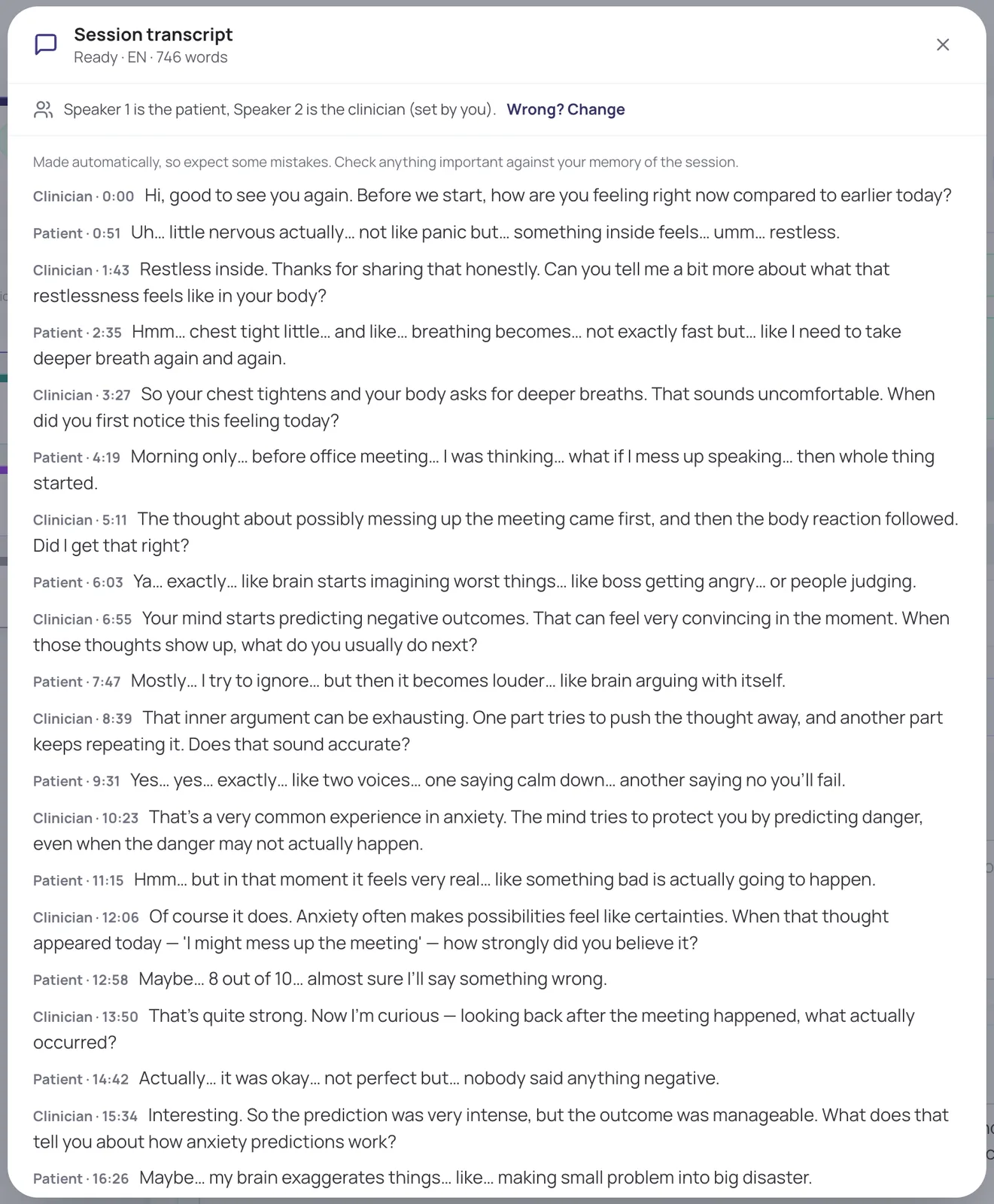
A transcript of the session
When the patient agrees, the call is transcribed after it ends and the audio is deleted once the transcript exists. You can mark which speaker is you and which is the patient.
In short
- Language detected automatically
- Timestamps for every turn
- Only the care team can read it, never receptionists
Drafts in your own note format
The assistant drafts the note in the format you use (the standard note, SOAP, DAP, BIRP or your own template), plus a session summary for future you. Use or dismiss each part; what you have already written outranks the transcript.
- Suggested homework from your toolkit
- Follow-up messages and treatment-plan suggestions
- Risk wording quoted so you can check it
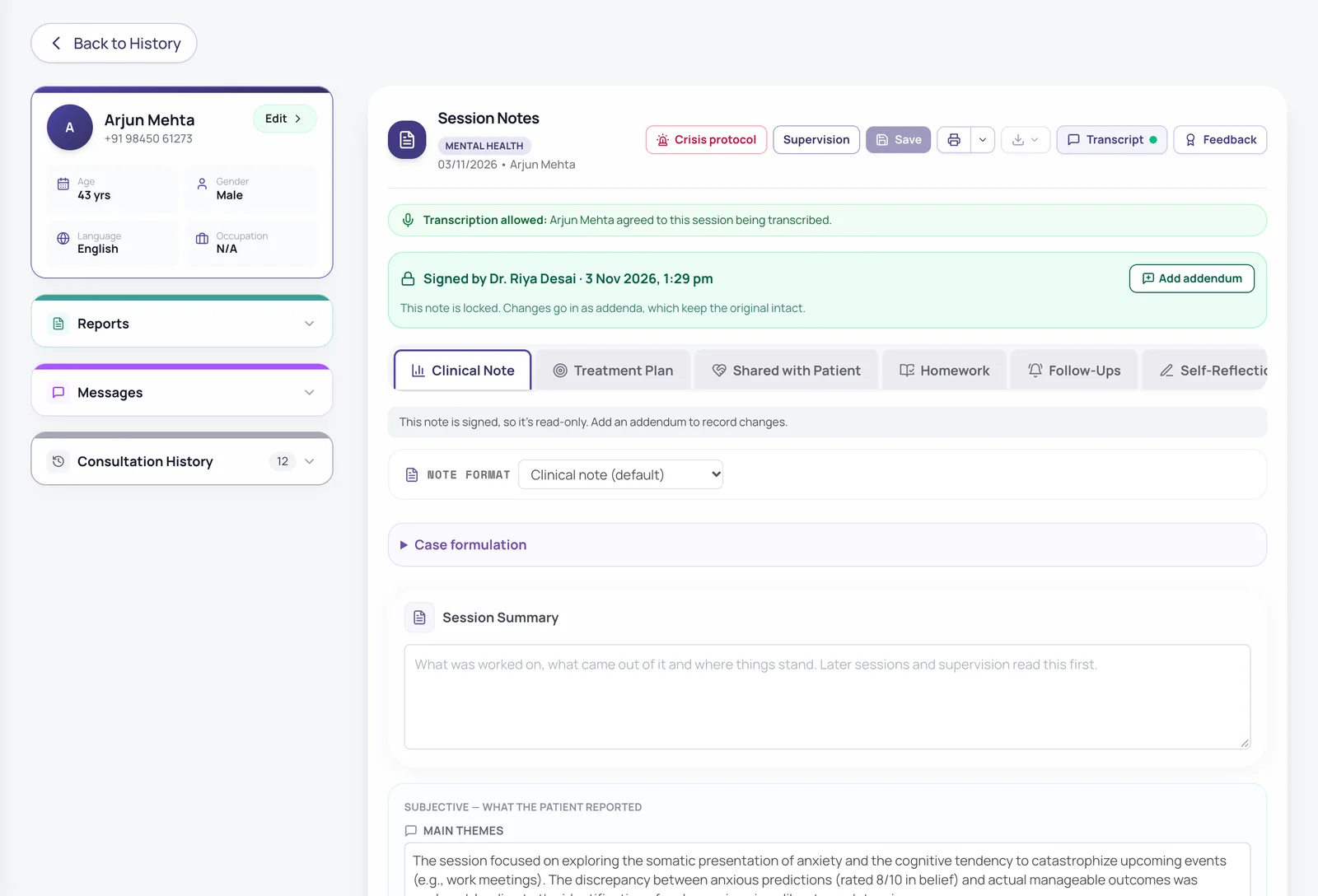
Nothing reaches the patient until you sign
Summaries, homework and plan changes stay with you until the note is signed. Then the patient gets one message that their notes are ready.
In short
- Signed notes are locked; changes go in as addenda
- Optional supervisor review before release
- Every view and change is in the audit log
For GPs: prescriptions and tests
Draft a prescription with advice and suggested investigations from your consultation notes. If a test should come before a medicine, you see a warning until you add it.
In short
- Prints on your letterhead
- Tests and investigations section on the printout
- You review and edit every line
Also included
Patient-friendly messages
Turn your advice into a clear message for the patient in one click.
Session quality review
An optional AI review of your session against therapy skills, with patient consent.
Drafted bios
Write your public doctor profile from your qualifications and expertise.
Pay as you go
Use AI as a monthly add-on, or pay per AI session.
How it works
- 1
Hold the session; the patient chooses whether it is transcribed.
- 2
The transcript and drafts arrive in the consultation.
- 3
Use what is right, edit, and add your own judgement.
- 4
Sign the note; the patient gets their summary.
Frequently asked questions
Is the AI writing my notes for me?
It drafts; you decide. Every draft is a suggestion you can use, edit or dismiss, and your own notes always take priority.
What happens to the audio?
It exists only long enough to be transcribed and is deleted once the written transcript exists. Only the notes are kept.
What if the patient doesn’t want to be transcribed?
They choose before the call, and saying no never stops the session. You write the note yourself as usual.
Does the AI provider train on our data?
We use the business services of AI providers, which do not use your data to train their models. Our Privacy Notice lists the providers.
Is every feature switched on from day one?
The essentials are on as soon as you sign up. Clinical and advanced features (questionnaires, safety plans, AI notes, supervision and so on) are switched on for your practice when you want them. Tell us what you need and we will turn it on.
How much does it cost?
Pricing depends on how many clinicians you have, the billing cycle you choose (monthly, quarterly, half-yearly or yearly) and whether you want AI features as a monthly add-on or pay per AI session. Start with a free trial, or send us a message and we will share a quote.
Try it with your own practice
Start a free trial, or tell us about your practice and we will share pricing and switch on the features you need.